
Notes and history on accreditation records
Accreditation records now have a History tab where you can add notes and view a timeline of key events.
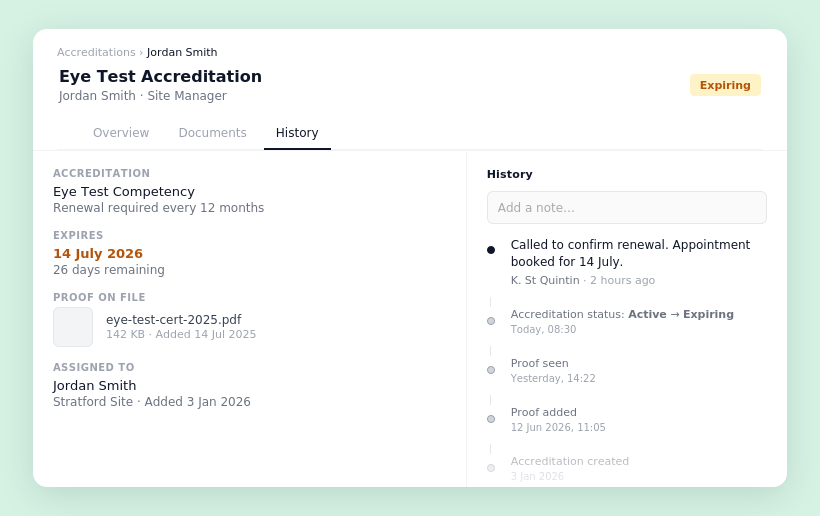
You'll now find a History tab on every accreditation record, combining notes and a chronological event timeline in one place.
Add a note directly from the tab, and edit or delete your own notes via the ⋯ menu. Notes appear with your name and a timestamp so the record stays clear over time.
The timeline automatically captures key events — when the accreditation was created, when proof was added, status changes, linked form status changes, and when proof was marked as seen or unseen — giving anyone viewing the record full context without needing to dig through the audit log.


Stevie is the Customer Advocate here at Visibly with a knack for transforming even the most tangled training matrix into clean, actionable data in the platform. With years of industry expertise under her belt, when she’s not guiding teams through the product, she might be watching Wicked for the tenth time (and singing every word of that or Stormzy)!


