Add PDF documents to your forms
Forms can now include a PDF that people open and read while they fill the form in, on web and mobile.
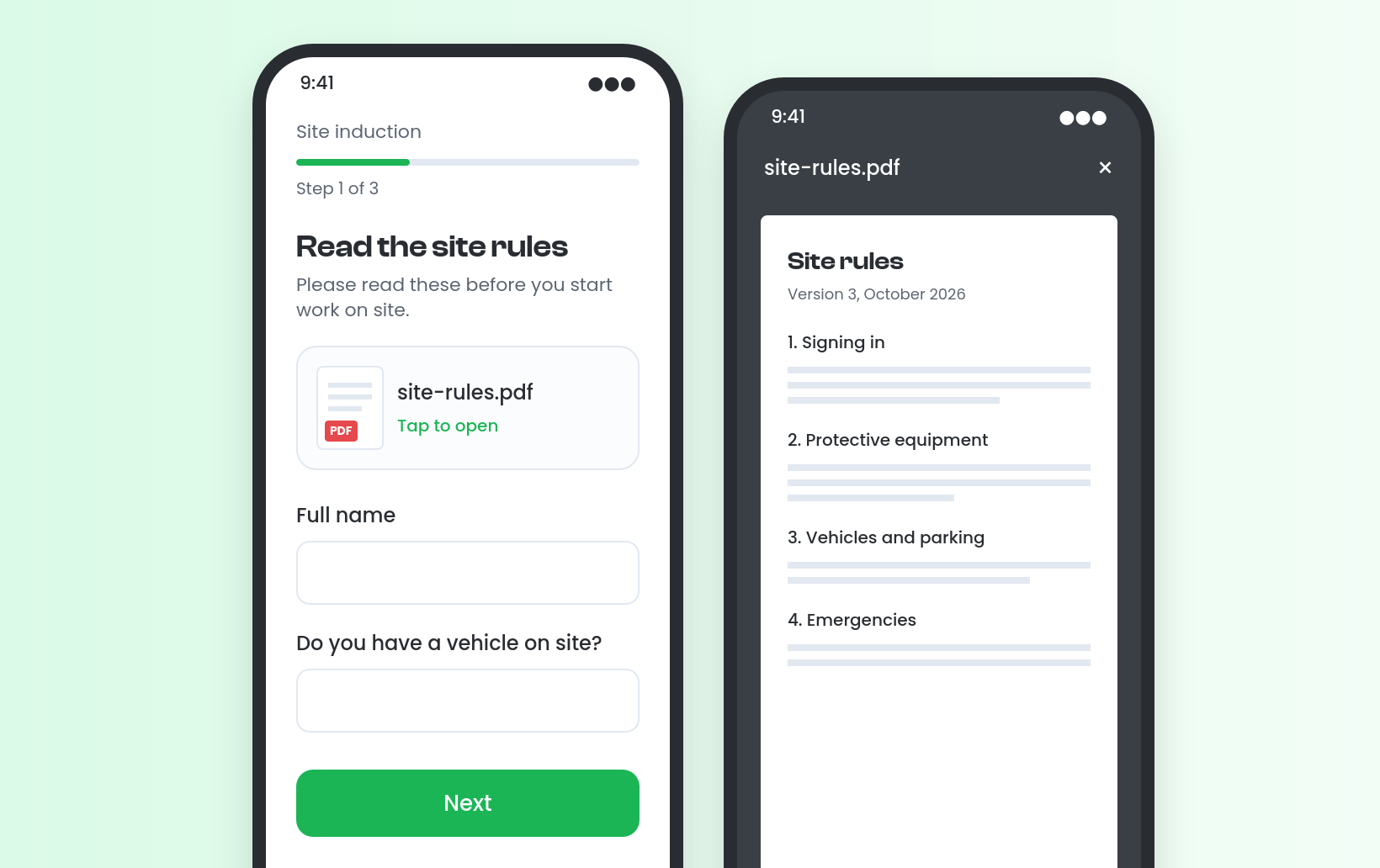
You can now add a Document field to a form step. Give it a label, add optional helper text and upload one PDF. People completing the form see a tile for the file, and opening it shows the PDF in a new tab on web or full screen on mobile.
The document never stops anyone moving on, and nothing is recorded as an answer. You can swap in a replacement PDF later while the form is still a draft, and each PDF is checked for security before the form can be published.
For example, a site induction form can include the site rules on its first step, so every new starter can read them before answering the questions.
To add one, choose Add field in the form builder, then Document. Viewing documents on mobile needs the latest version of the app.


Stevie is the Customer Advocate here at Visibly with a knack for transforming even the most tangled training matrix into clean, actionable data in the platform. With years of industry expertise under her belt, when she’s not guiding teams through the product, she might be watching Wicked for the tenth time (and singing every word of that or Stormzy)!