Email alerts when a workflow task is assigned
Workflows can now email the person or team a task is assigned to, with a link to complete it, so they don't need to log in to find their work.
You can now have a workflow email the person a task is assigned to. Switch on the email option when you set up a task in the workflow builder, and the assignee gets a message with a link to complete it.
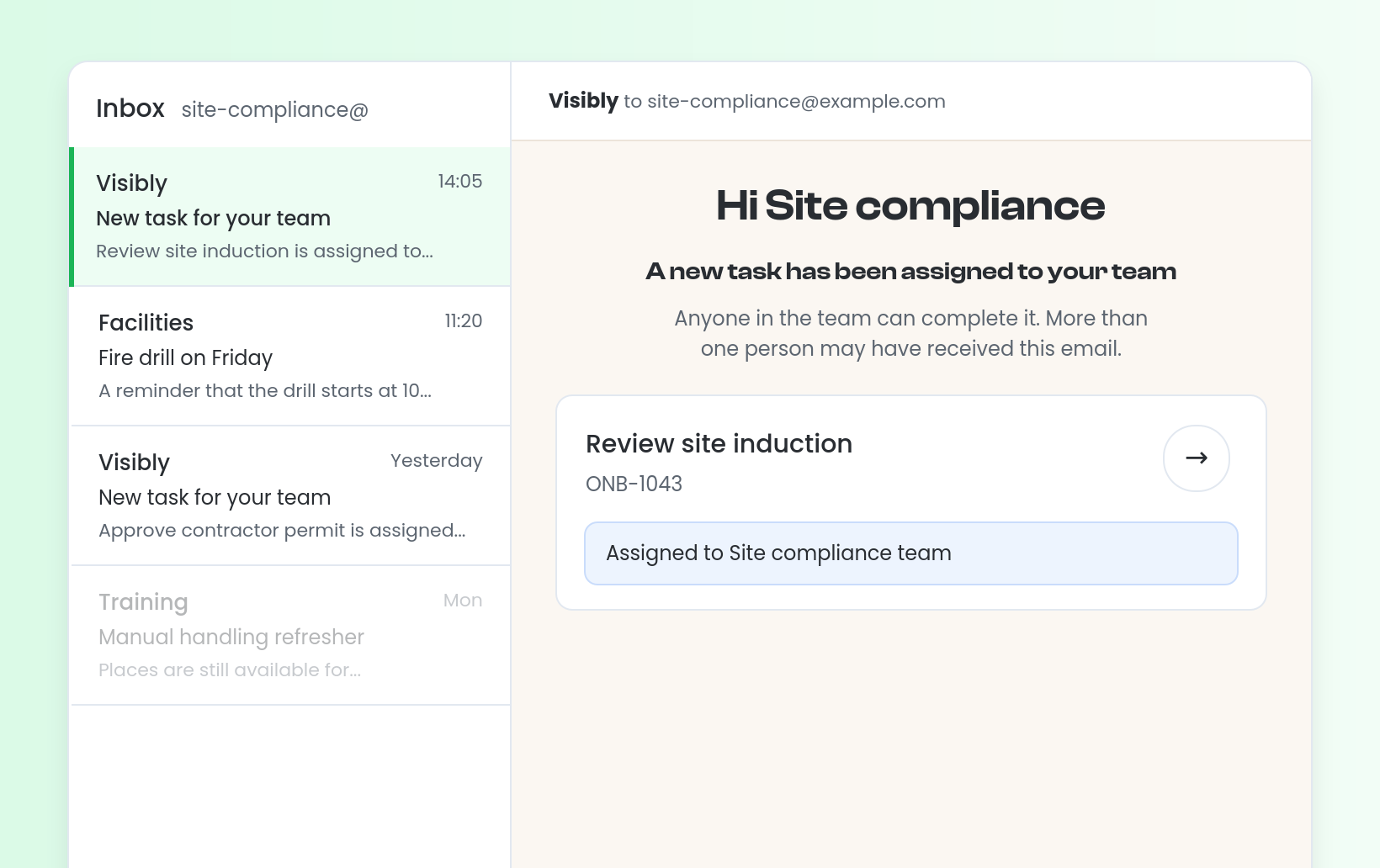
When a task is assigned to a team, the email goes to the team's shared mailbox once that address has been verified. It says the task is assigned to the team and that anyone in it can complete the task, so teams who work from a shared mailbox can see their work without logging in to Visibly. If a team has no verified mailbox, nothing is sent and the outcome is recorded.
For example, a review task assigned to the site compliance team arrives in the team's shared mailbox as soon as it is created. Admins and Owners can see a record of every notification outcome.


Stevie is the Customer Advocate here at Visibly with a knack for transforming even the most tangled training matrix into clean, actionable data in the platform. With years of industry expertise under her belt, when she’s not guiding teams through the product, she might be watching Wicked for the tenth time (and singing every word of that or Stormzy)!