Build and publish custom forms in Visibly
Owners and Admins can now build, configure, preview, and publish forms directly in Visibly — no external tools needed.
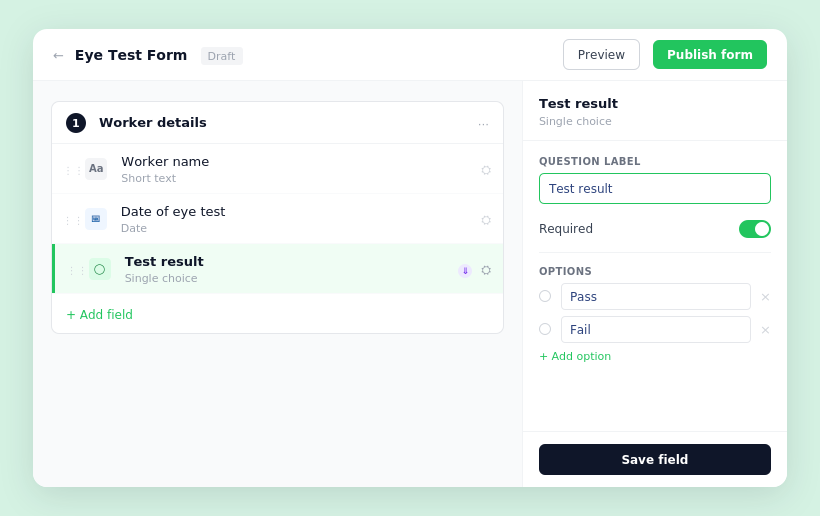
You can now create forms from scratch inside Visibly. Build multi-step forms using five field types — short text, long text, single choice, date, and file upload — and drag fields into the right order within each step.
Each field is fully configurable: set a question label, mark it as required, add helper text, or apply conditional logic so a field only appears based on how a previous question was answered.
Before publishing, preview the form in desktop and mobile views to check exactly what workers will see. When it's ready, publish it to make it available for distribution. Need to take a form out of circulation without losing responses? Archive it. Want to remove it entirely? Permanently delete it. Both actions are available from the ⋯ menu on the forms table, and every publish, archive, and delete is recorded in the audit log.


Stevie is the Customer Advocate here at Visibly with a knack for transforming even the most tangled training matrix into clean, actionable data in the platform. With years of industry expertise under her belt, when she’s not guiding teams through the product, she might be watching Wicked for the tenth time (and singing every word of that or Stormzy)!